
Eye Strain Treatments: Reduce Strain During Work Hours
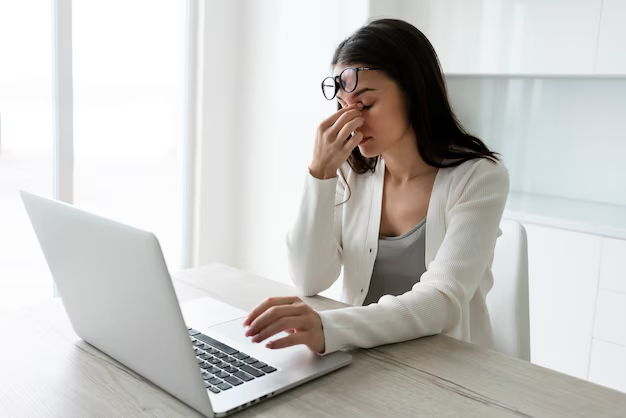
Table of Contents
- How to Minimize Eye Strain While Working
- What Is Eye Strain & Why Does It Happen?
- Recognising Eye Strain Symptoms
- Work Place Permanent Eye Strain Solutions
- Workspace Lighting: The Overlooked Factor
- Frequently Asked Questions (FAQs)
How to Minimize Eye Strain While Working
Staring at a screen for 8 hours or more these days is normal, but it always comes with a price to pay to your eyes. Everything you need to know about eye strain symptoms, fast relief, and long-term treatments that work
What Is Eye Strain & Why Does It Happen?
Eye strain, or asthenopia as it is also known, occurs when the eyes struggle for a sustained amount of time. Nowadays, it is the turn of digital screens — at least most workplaces. Unlike printed text, the screen consists of pixels, which the eyes have to refocus on repeatedly, inducing fatigue of the small muscles surrounding the eyes much faster than reading and other activities, adding to human visual tasks. Poor lighting, improper distance from the monitor, uncorrected vision, and even stress can make it worse.
Recognising Eye Strain Symptoms
However, eye strain does not Always feel like that. It frequently presents as a headache or malaise. Here are some of the most frequent signs to look out for:
Sore, tired eyesHeaviness or burning sensation
HeadachesOften starts behind the eyes
Blurred visionWords or objects lose sharpness
Dry or watery eyesReduced blink rate while focusing
Difficulty focusingTrouble switching between distances
Neck & shoulder painFrom poor screen positioning
Digital eye strain is a likely culprit for these symptoms experienced after the end of your workday. However, if symptoms persist or are severe — and particularly if vision changes develop suddenly — see an optometrist.
Read Also This: Structure of Human Eye: Eye Structure and Its Functions ExplainedFirstly, how to quickly alleviate eyestrain
Here are these quick-fix solutions which will help you immediately when you are in mid-afternoon eye strain and still have hours of work left:
1. Follow the 20-20-20 rule. Rule: Every 20 minutes, stare at something 20 feet away for 20 seconds. This uncomplicated practice refreshes your focusing muscles and is probably the highest-grade quick fixer-upper out there.
2. Blink deliberately. Non-natural blink rates of up to 60% less. When you consciously blink 10 times as fast as possible, it re-coats the eyes with moisture and flushes any irritants out.
3. Apply a warm compress. By closing your eyes and applying a warm (not hot) washcloth for 2–3 minutes, it relaxes the eye muscle and stimulates tear secretion.
4. Adjust your screen brightness. When the screen is much brighter than your environment, your pupils have to work harder. Set the brightness of your monitor to match the lighting conditions in your room.
5. Use lubricating eye drops. Immediate relief for dry and irritated eyes can also be obtained through the use of over-the-counter artificial tears (preservative-free). Continue using throughout the day as needed.
Work Place Permanent Eye Strain Solutions
Quick fixes are fun, but being able to see your computer for years to come will involve making changes to your environment and habits. These treatments, supported by evidence, target the underlying mechanisms behind digital eye strain:
1-Optimise monitor placement. Keep your screen about 50–70 cm away from your eyes, with the top of the monitor at or just below eye level. A 10–20 degree tilt of the screen not only reduces glare but also promotes a natural downward gaze.
2-Activate Night Mode or warm colour profiles. Screens that emit a lot of blue light increase eye tiredness, especially during the evening. After midday, utilize f.lux or Night Shift if you are on iOS or use your OS built in warm tone settings.
3-Invest in anti-reflective screen filters. Physical matte screen protection reduces reflections and reflections — two of the most underrated stressors in bright offices.
4-Make sure to use the larger fonts with a stark contrast. Fine print makes your eyeballs work hard to see letters. Increase the font size of your system and make sure there is enough contrast between your text and background.
Workspace Lighting: The Overlooked Factor
Most people will correct their screen settings without recognizing the number one environmental issue that contributes to eye strain: the ambient light. We have experienced extreme tiredness since dilating our pupils in a dark room to fit the bright screen. Similarly brutal overhead fluorescent lights produce equal glare that makes your eyes strain more.
You want soft, indirect light that is about the same brightness as your screen. To avoid glare from natural light, your desk should not be parallel to the glass – but rather should be placed perpendicular to the windows – either facing or with your back to them. A desk lamp with a warm-white bulb facing away from the display can make a world of difference.
Frequently Asked Questions (FAQs)
People experience a lot of common symptoms which can include red eyes, blurry vision, headaches, irritation and feeling heavy eyelids.
To relax eye muscles, take short breaks, close your eyes briefly, and apply a warm compress.
See an optometrist: If your eye strain is common, bad and not changing with lifestyle adjustment; if there is dual vision, sudden obscuring of vision or eye torment; or you haven't had an eye test in over 2 years. An eye check could eliminate the presence of a refractive error or any underlying condition that aggravates the strain.
Indeed, too much screen time — particularly during the night — can disrupt rest designs by impacting your normal rest cycle.
